
Your Redmine,
finally native.
Triage issues, move work through your workflow and log time from anywhere — with a fast, private client built for iOS 26 Liquid Glass.
- Any Redmine server
- No tracking
- iPhone & iPad
Features
Everything you open Redmine for — in your pocket.
Built around the few things you do dozens of times a day, so each one takes seconds.
All your projects
Every project you belong to, with open issue counts and recent activity at a glance.
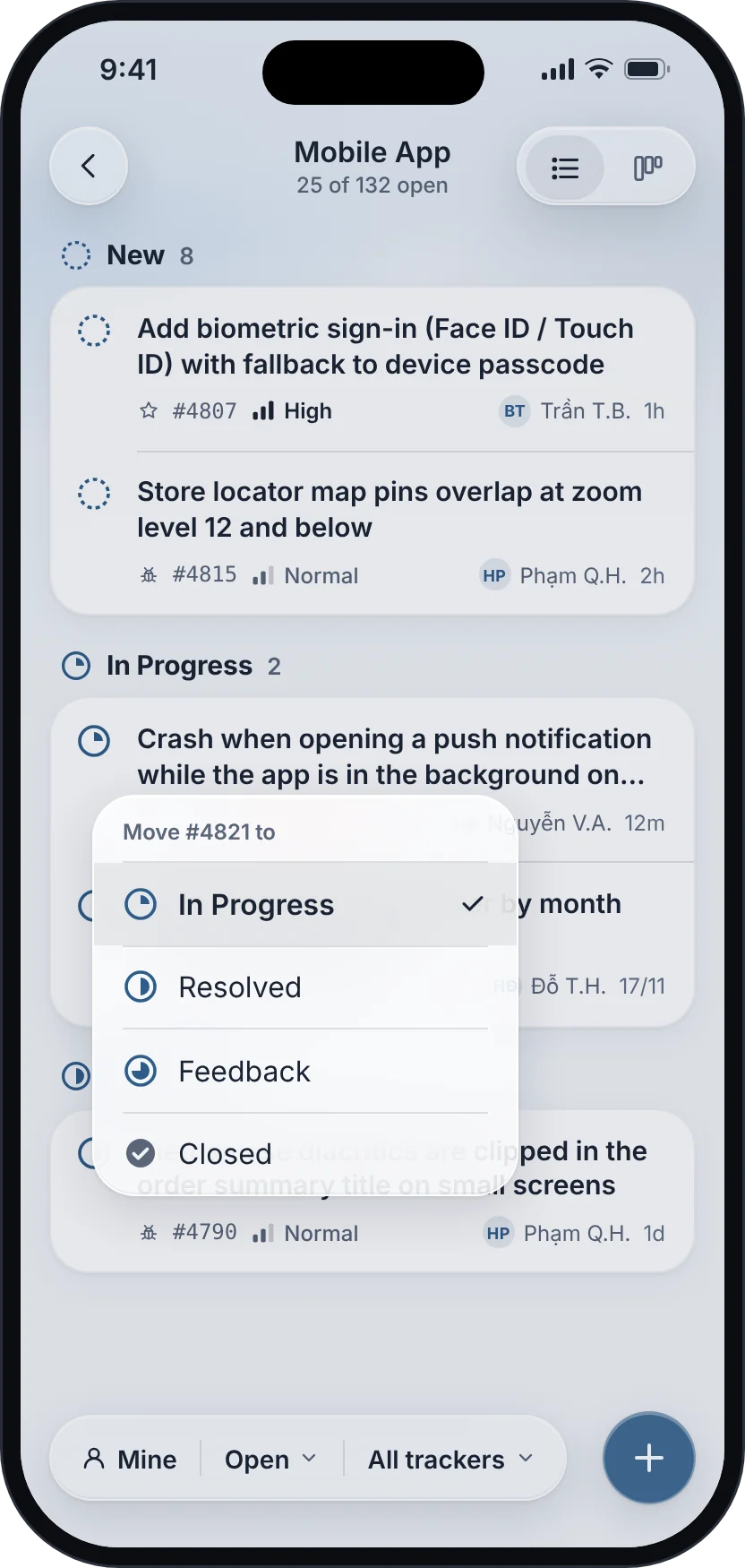
Status in two taps
Tap the status ring, choose the next step. The list updates instantly.
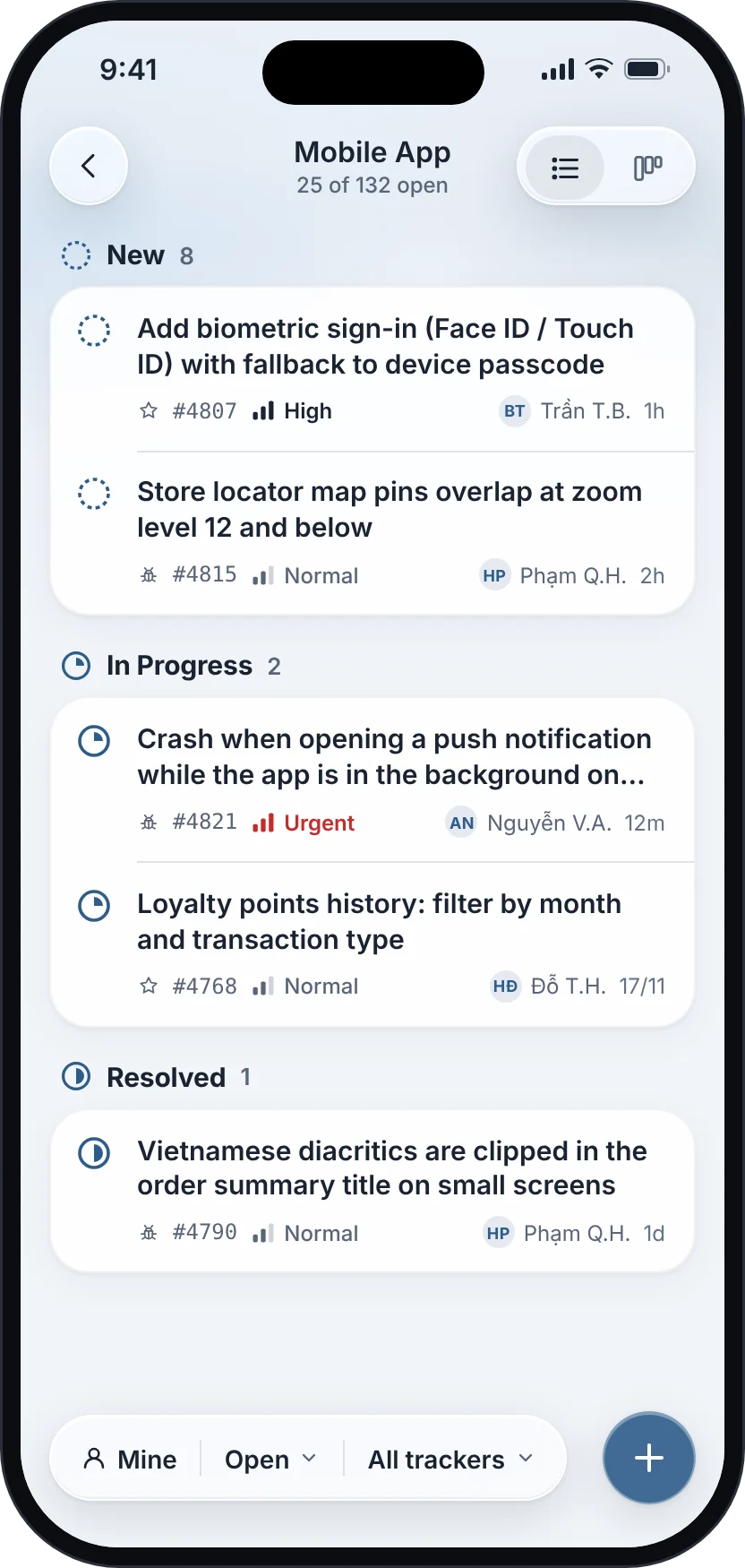
List or board
Switch between a grouped list and a board with one column per status.
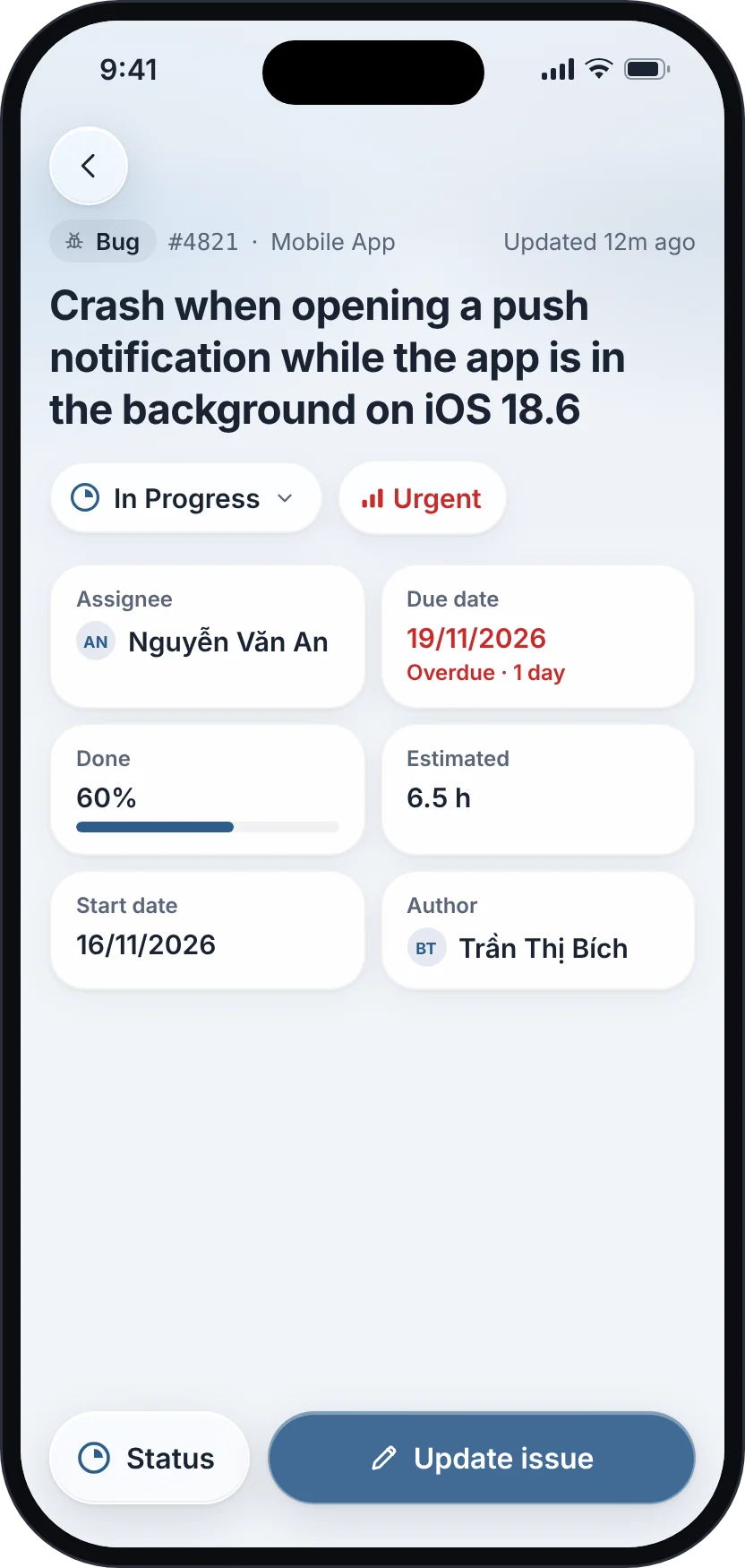
My Issues
Everything assigned to you across projects, overdue work first.
Log time on the go
Add spent hours with a quick stepper and leave a note in the same sheet.
Create issues fast
Pick tracker, priority, assignee and due date with chips — no long forms.
Workflow
Move work forward in two taps.
Each issue carries a status ring that shows how far it has come. Tap it and pick the next step — right from the list.
- Statuses, trackers and priorities come from your server
- Only valid workflow transitions are offered
- Shapes and labels, never colour alone, show state
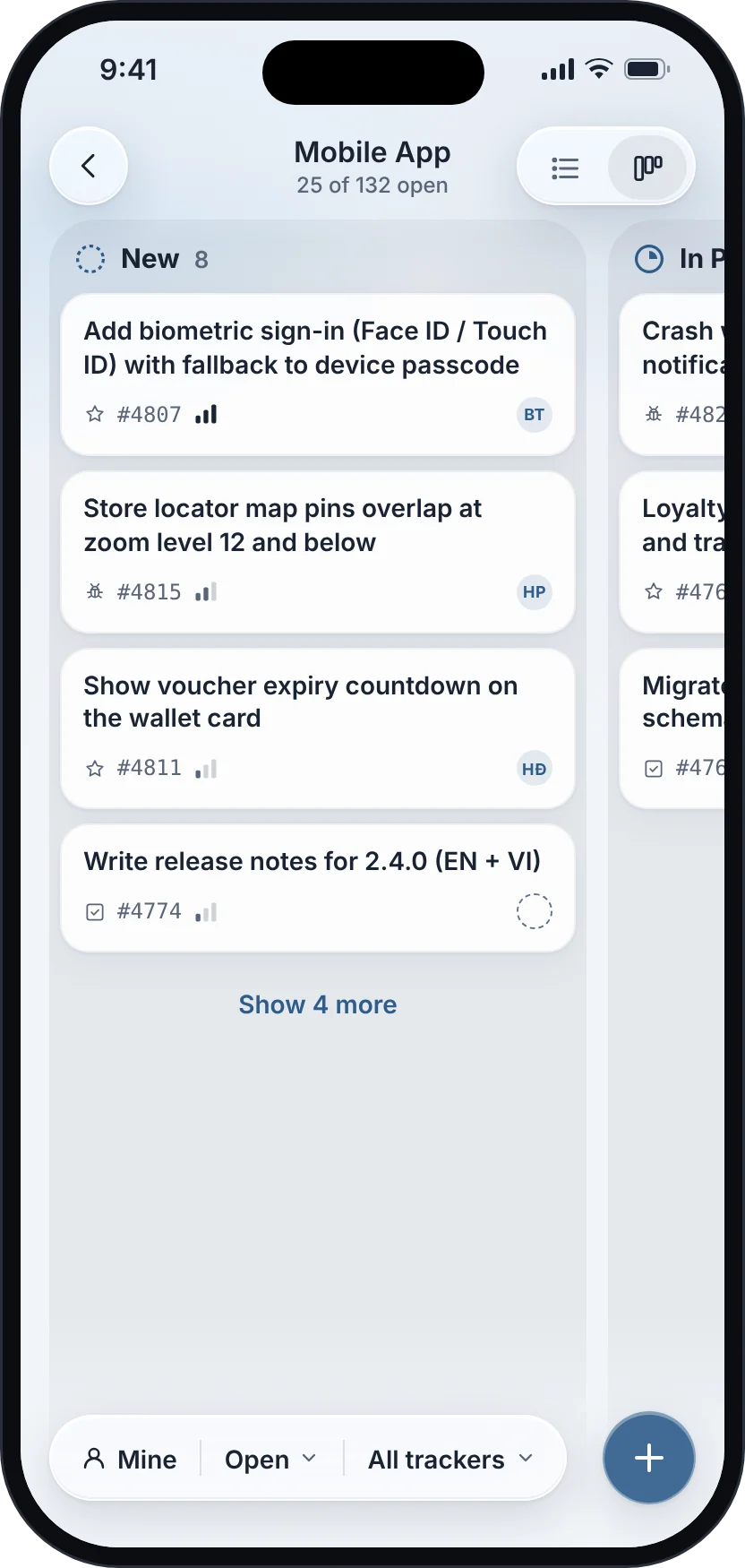
Board
See the whole sprint at once.
Flip any project to a board with one column per status. Filter to your own work, by tracker, or by what is still open.
- Grouped list or board, per project
- Quick filters: Mine, Open, tracker
- Overdue dates stand out
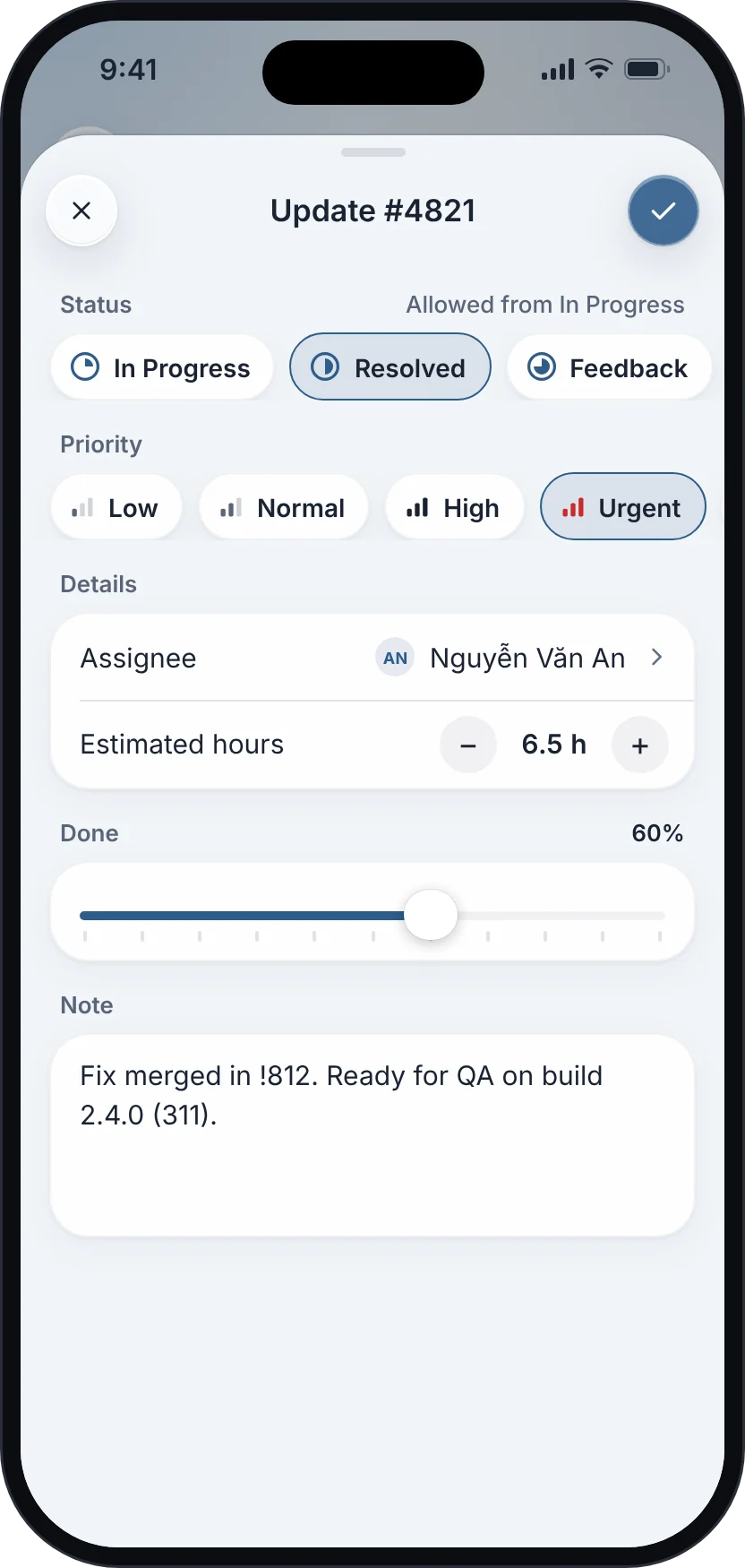
Updates
Update on the go.
Change status and priority, log hours and add a note in one focused sheet. Done before the elevator arrives.
- Time logging with a simple stepper
- Notes go straight to the issue history
- Haptic confirmation when it is saved
iPad
Projects, issues and details side by side.
A sidebar, a list and the full issue on one screen — ready for Split View and Stage Manager.

Privacy by design
Your issues stay between you and your server.
Redmine Mobile has no backend of its own. There is nothing to sign up for and nothing for us to see.
- Direct to your serverEvery request goes from your device to your Redmine over HTTPS.
- Credentials in the KeychainYour password or API key never leaves your device except to sign in.
- No analytics, no adsNo tracking SDKs, no advertising identifiers, no profiling.
Light and dark
Every screen is designed for both appearances and follows your system setting.
Accessible
Dynamic Type, VoiceOver labels, 44-point touch targets and contrast that meets WCAG AA.
Made for real teams
Long Vietnamese and international names, big projects and busy workflows are handled gracefully.
FAQ
Questions, answered.
Which Redmine servers does it work with?
Any Redmine server reachable over HTTPS with the REST web service enabled. Your administrator can turn it on in Administration → Settings → API.
How do I sign in?
Enter your server address, then sign in with your Redmine username and password or with your personal API key. You can find the key in Redmine under My account → API access key.
Do custom statuses and workflows work?
Yes. Statuses, trackers and priorities are loaded from your server, and the app only offers the transitions your workflow allows. Nothing is hard-coded to status names.
Does Redmine Mobile store my data?
No. The app talks directly to your Redmine server. Credentials stay in the iOS Keychain on your device, and we do not run any analytics or tracking. Read the Privacy Policy.
Is it an official Redmine app?
No. Redmine Mobile is an independent client built by a developer who uses Redmine every day. It is not affiliated with or endorsed by the Redmine project.
I need help or found a bug.
Write to contact@stevetran.work or use the contact form. We usually reply within two business days.